Skip to product information


Xiaomi 300Mbps WiFi Amplifier/Universal Wireless WiFi Range Extender/Booster
$16.99
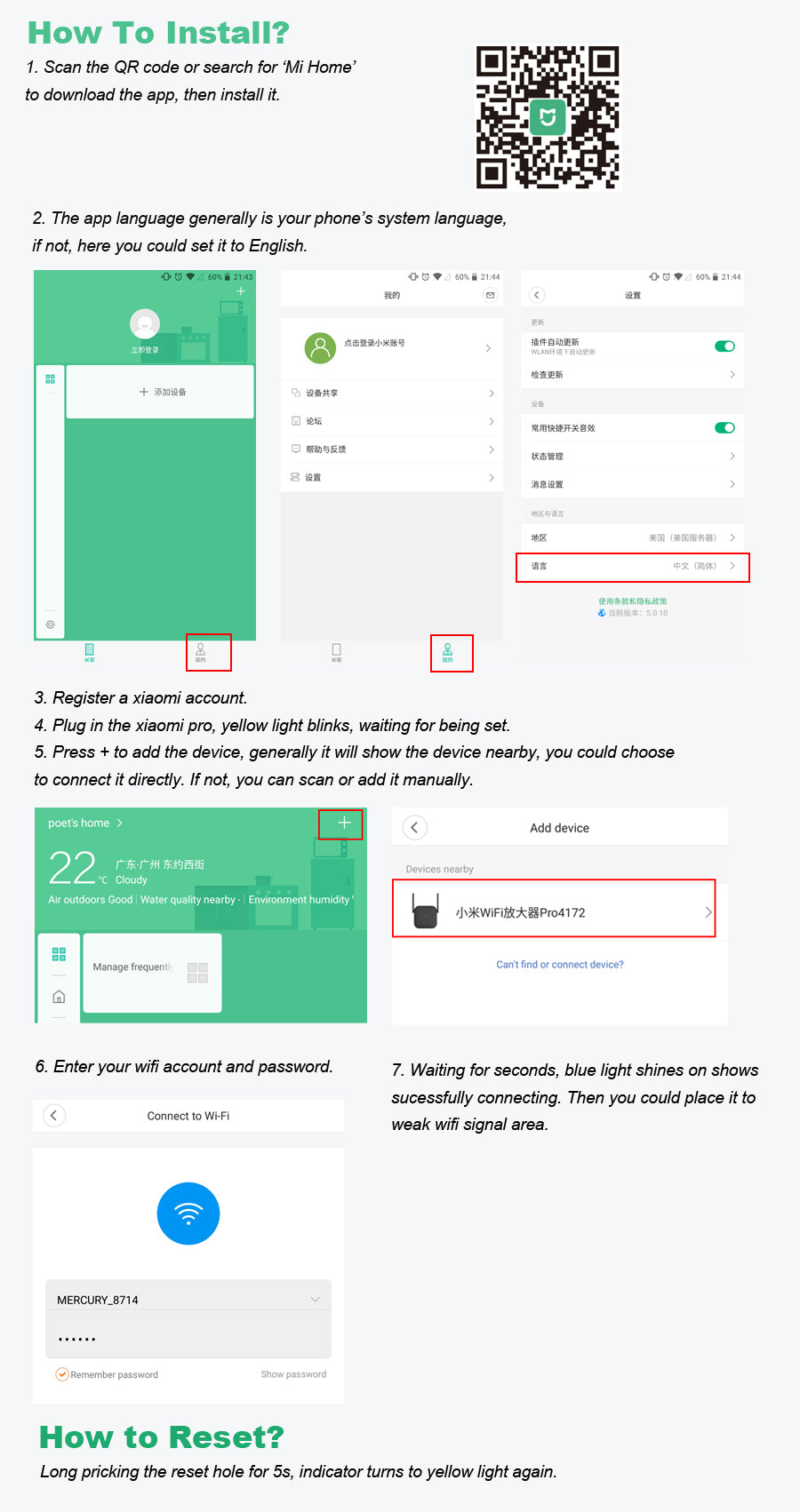
1. Why can’t I find the amplifier in my device?
-
Make sure you select Mainland China in the app settings.
-
The amplifier is currently only available in the Chinese version.
-
After selecting Mainland China, find the device and connect.
2. What do the indicator lights mean?
-
Blue (steady): Amplifier running normally; WiFi pairing successful.
-
Yellow (steady): Amplifier is starting up (process lasts about 10 seconds).
-
Blue (blinking): Waiting for pairing, pairing in progress, or pairing failed. The original WiFi password may have changed, or the amplifier is too far from the router.
-
Red (steady): Boot failed. Re-plug and try again. If it persists, contact after-sales support.
3. Why does the amplifier flash orange, then blue?
-
Initial setup failed, often after inserting the Xiaomi router USB.
-
Fix: Upgrade your router to the latest development or stable version (2.0 or above).
-
If previously paired, reset the amplifier (hold the reset hole with a pin for 5 seconds) and re-pair.
-
If the blue light is blinking, try plugging/unplugging or resetting before pairing again.
4. Can I customize the amplifier’s network name or password?
-
Not supported yet.
5. Why can’t the amplifier get a signal from the router?
-
Make sure the amplifier is close to the router to get a stable signal (at least two bars or more).